Check the game for the current Double Jump input and unlock rule before you practice. Once the move works for your character, learn it on a wide platform. Do not make your first test over lava or a long gap.
Verify Double Jump in the live game
Stand somewhere with plenty of room to land. Look for a Double Jump button, prompt, upgrade, or lock message. Follow the control shown for your device and use the requirement shown on your screen.
Try one normal jump, return to the same spot, and then test the Double Jump input. Look for a clear second lift or another airborne action. High Speed and a moving camera can make an ordinary jump look bigger, so repeat the test from the same position.
If you cannot find a clear unlock condition, keep following the normal progression prompts and check again later. Do not spend currency or Rebirth based on a guessed requirement.
Separate Double Jump from repeated backflips
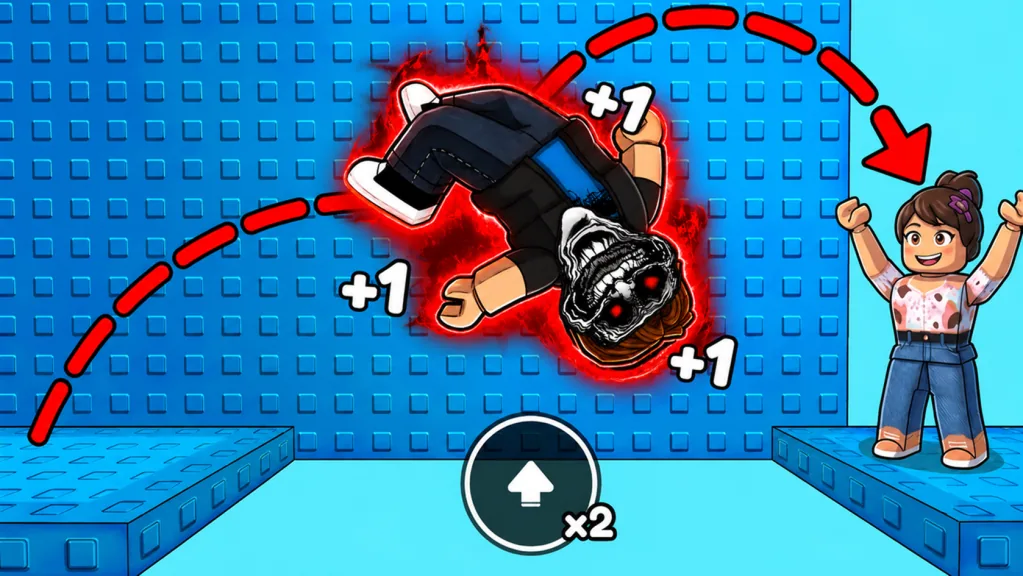
Rapid jump input is also how you train backflips, and every backflip gives +1 Speed. That alone does not prove you have triggered a separate Double Jump.
Start each comparison from the same spot, face the same direction, and keep the camera angle steady. Avoid a long Speed grind between attempts. Compare a normal jump with the input shown for Double Jump. If you cannot reproduce a distinct second action, do not plan a route around it yet.
Learn the timing on a forgiving platform
After you confirm the move, practice where a miss will not reset the course. Pick a nearby landing point on a wide platform. Jump, trigger the second action at a consistent moment, and see where you land.
Test an early, middle, and late second input on separate attempts. Change only the timing. You will learn whether it currently gives you more height, more distance, or a chance to correct your line.
When one timing works, repeat it five times from the same place. A consistent jump is more useful than one lucky long launch.
Apply it to course gaps
Courses can include narrow platforms, hazard floors, lava, spikes, gaps, and offset steps. Point the camera at the middle of the landing and choose a clear takeoff spot. Stop grinding backflips during the approach.
If you fall short, check whether the second action actually fired. If it did, make a small timing or takeoff adjustment. If you overshoot, shorten the run-up. Sideways drift usually calls for a cleaner camera line, not a different jump rhythm.
Do not blame every miss on low Speed. A bad approach can waste a perfectly good Double Jump.
Make an update-safe practice checklist
Run through a quick check after a major update or whenever the move feels different:
- Read the current control and upgrade labels.
- Confirm that your character still has access.
- Test the move on a wide platform.
- Check whether your Current Speed changed.
- Relearn one safe gap before starting a long run.
This gives you a usable routine without relying on an old unlock price, input, cooldown, or Level requirement.
Use it as a tool, not a substitute for control
A second airborne action gives you another option, but it cannot fix a crooked approach. Extra distance can also send you past a small landing. Decide where you will use the second action before you leave the platform.
The order is simple: confirm the move, practice it, and then take it onto the course. If Double Jump is still locked, work on the regular backflip and Speed loop until the game tells you what comes next.
FAQ
How do I unlock Double Jump?
Read the current game interface for an upgrade, prompt, or lock condition. The unlock rule can change.
What is the exact Double Jump input?
Use the control shown for your device in the current version, then test it in a safe area.
Is rapid jump input always Double Jump?
No. Rapid input is also used for backflip training, so look for a distinct second action.
Should I use Double Jump on every gap?
Use it when the route needs it and you can still control the landing. Extra movement can cause an overshoot.
Do I need a specific Speed value?
The game does not provide one fixed value for every gap. Test the route at your current Speed and adjust gradually.