Multiplayer Is Shared Progress Plus Player-Made Races
The game encourages races with friends, while the hub lets everyone train and enter the course in the same space. Build your accounts together, then agree on a fair way to compare escape runs.
On September 17, 2026, the Roblox page listed a maximum server size of 10. Check the current server page when exact capacity matters. Good group rules work at any size: choose the same course, define the finish, and compare clean runs.
What Players Share in a Server
Other avatars are visible in the hub, around the training lanes, and on the course. That creates several ways to play together even without a formal tournament menu.
| Shared activity | What you can compare | What not to assume |
|---|---|---|
| Hub training | Level progress, movement feel, unlocked lanes | Identical multipliers or Rebirth access |
| Course attempts | Route execution and completion consistency | Equal Speed or equipment |
| Informal races | Start-to-finish performance | Automatic matchmaking or stat balancing |
| Leaderboard viewing | Whatever category the live board names | A permanent ranking formula |
| Cosmetic display | Trails, Auras, Shoes, and visible effects | That every visual item gives the same boost |
The hub’s leaderboard boards are visible, but their headings and formulas are not clear enough to treat as fixed categories. Read the current board before saying what it ranks.
How to Join Friends and Start Together
Use Roblox’s current server and friend-join controls to reach the same session. Once everyone is visible in the hub:
- choose the same course entrance;
- meet at a visible line or platform;
- agree on a countdown;
- define the finish as a completion message or visible marker;
- decide whether falling means a restart;
- decide whether paid revives are allowed.
The game listing does not mention a private lobby, party queue, or built-in race countdown. Use the Roblox join controls and whatever the experience currently shows.
Compare Progress Fairly
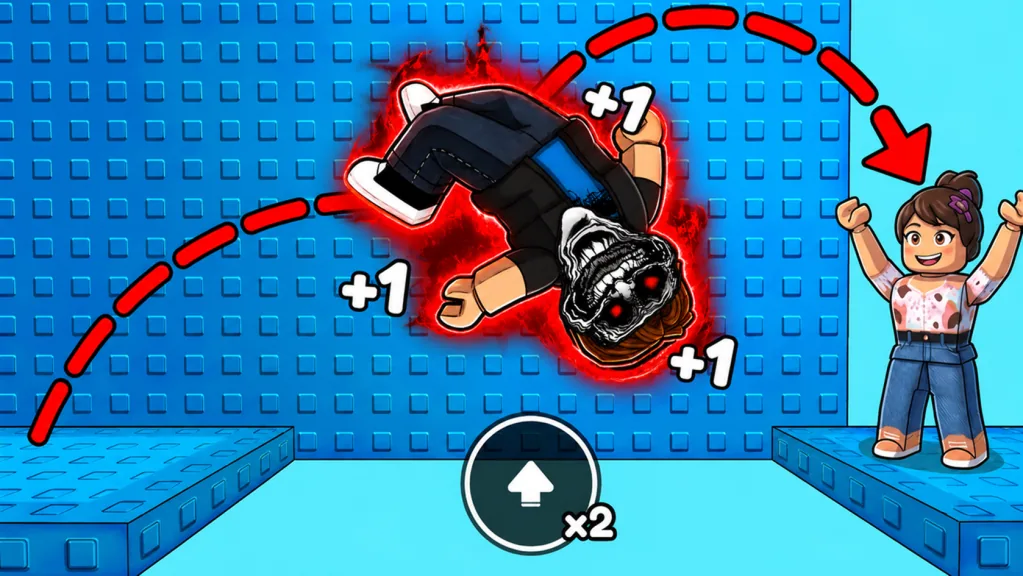
Every backflip gives +1 Speed, but accounts can differ in Level, Shoes, Rebirth progression, training-lane access, Trails, and optional boosts. A race between two visibly different setups can still be fun, but it does not isolate route skill.
Pick a format before the first countdown.
Open progression race
Everyone uses their current account. This tests the full progression setup plus course execution. Disclose major boosts and accept that faster growth can affect the result.
Similar-setup race
Players compare Current Speed, visible equipment, and Rebirth access before starting. Choose opponents with roughly comparable preparation. This produces a clearer route contest without requiring exact equality.
Consistency challenge
Ignore first-place speed and count clean completions over an agreed number of attempts. This rewards route knowledge and landing control, making it useful for mixed-progression groups.
Train Together Without Blocking Each Other
The hub’s colored lanes and course entrances are shared visual spaces. Keep group training organized:
- choose a meeting point away from the narrowest route entrance;
- let each player finish a landing before following closely;
- move off a small platform before discussing the next jump;
- use a wide hub area for backflip timing practice;
- regroup after a full run instead of stopping in the route.
This spacing keeps another avatar from covering the next platform or distracting you near a hazard.
Read Other Players Without Copying Them
Watching someone clear a gap can confirm that the route is possible, but their takeoff point is not automatically correct for you. Different Speed and boosts change movement distance.
Use another player as a route signal:
- which doorway continues the course;
- which platform is intended as a landing;
- where arrows point;
- where a stage transition occurs.
Then align and jump according to your own movement. Copying an exact input from a faster account is a reliable way to overshoot.
Leaderboards and Visible Status
Leaderboards turn progression into asynchronous multiplayer. You can compare placement even when nobody is starting a course at the same time.
Before using a board as a competition, read:
- the current heading;
- the unit being counted;
- whether the board is global, server-only, or another scope shown in the UI;
- when it refreshes;
- whether your latest result has appeared.
Do not label a board as Speed, Wins, or another statistic until its live heading confirms that category. The hub confirms that boards exist, not a permanent formula for each one.
Group Progression Sessions
A productive group session alternates training and course checks.
- Everyone fills one
Jumpsrequirement. - Each player tests a short landing at the new Speed.
- The group runs the course once.
- Each person names the first obstacle they failed.
- The group practices those movements in open space.
- Everyone returns for a second run.
This format works better than having the most advanced player grind while beginners repeatedly reset. It keeps the group on the same learning cycle even when account stats differ.
Revives and Group Rules
The game can display Revive? Teleport Back? after a fall. The prompt does not state the exact return point, and the option uses a premium purchase button.
For casual cooperative practice, let each player choose. For a race or consistency challenge, agree on one rule before starting:
- no revives;
- revives allowed but the run does not count for ranking;
- revives allowed for everyone under the same live condition.
The first rule is easiest to enforce and compare.
Protect the Session From Update Confusion
Route layouts, stage counts, reward amounts, server capacity, shop offers, and leaderboard labels can change. When a friend remembers a different version, verify the live UI together.
Check the current:
- course entrance and recommended-Level sign;
- arrow and door sequence;
- finish message and Win credit;
- training-lane labels;
- item cards for Trails, Auras, or Shoes;
- server page for capacity.
If two players remember different versions, a quick in-game check settles it.
Common Multiplayer Mistakes
Calling unequal setups a skill test
An open-progression race is valid, but label it correctly. Use similar setups or a consistency challenge when you want to compare route execution.
Following another avatar too closely
Their model can cover a narrow landing or hazard. Leave enough space to see the route and use your own timing.
Assuming the leaderboard category
Read the board heading and unit in the current server. Visible boards do not prove one permanent ranking system.
Changing upgrades between every race
Constant changes make results difficult to compare. Keep one setup for several runs, then test a single upgrade.
Deciding revive rules after someone falls
Set the rule before the countdown so every player faces the same consequence.
FAQ
Can I race friends in +1 Backflip Phonk Escape?
Yes. The official description explicitly invites players to race friends and other players. Join the same server and agree on a start, finish, and fall rule.
How many players can join one server?
The Roblox game snapshot on September 17, 2026 listed a maximum of 10 players. Check the current server page because platform settings can change.
Does multiplayer equalize Speed or equipment?
The game listing does not describe an equalization system. Compare visible progression and choose race rules that fit the group.
What do the leaderboards track?
Read each board’s heading and unit in the live hub. Boards are visible, but their permanent categories and formulas are not established here.
Should multiplayer races allow revives?
For the cleanest comparison, use no revives. If the group allows them, decide before starting and apply the same rule to everyone.